Open-source meeting recorder for Windows and macOS
Record every meeting. Keep every word on your own computer.
Hark notices when you're on a call and offers to record just that app. You see captions and running notes while it's on; afterwards you get the transcript with speaker names, the summary, a follow-up email, and answers to any question about any meeting, all from an AI that runs on your machine. No bot. No cloud. No account. Free, forever.
Windows (CPU or NVIDIA CUDA) · macOS (Apple Silicon or Intel) · MIT license
Why people switch from Fathom, Otter and Fireflies
Everything they do. Nothing they know.
Manual by design
Detection only shows a popup. You pick the window - and on Windows, only that app's audio - before anything records. No speaker gets named, nothing gets shared without your click.
Live while it happens
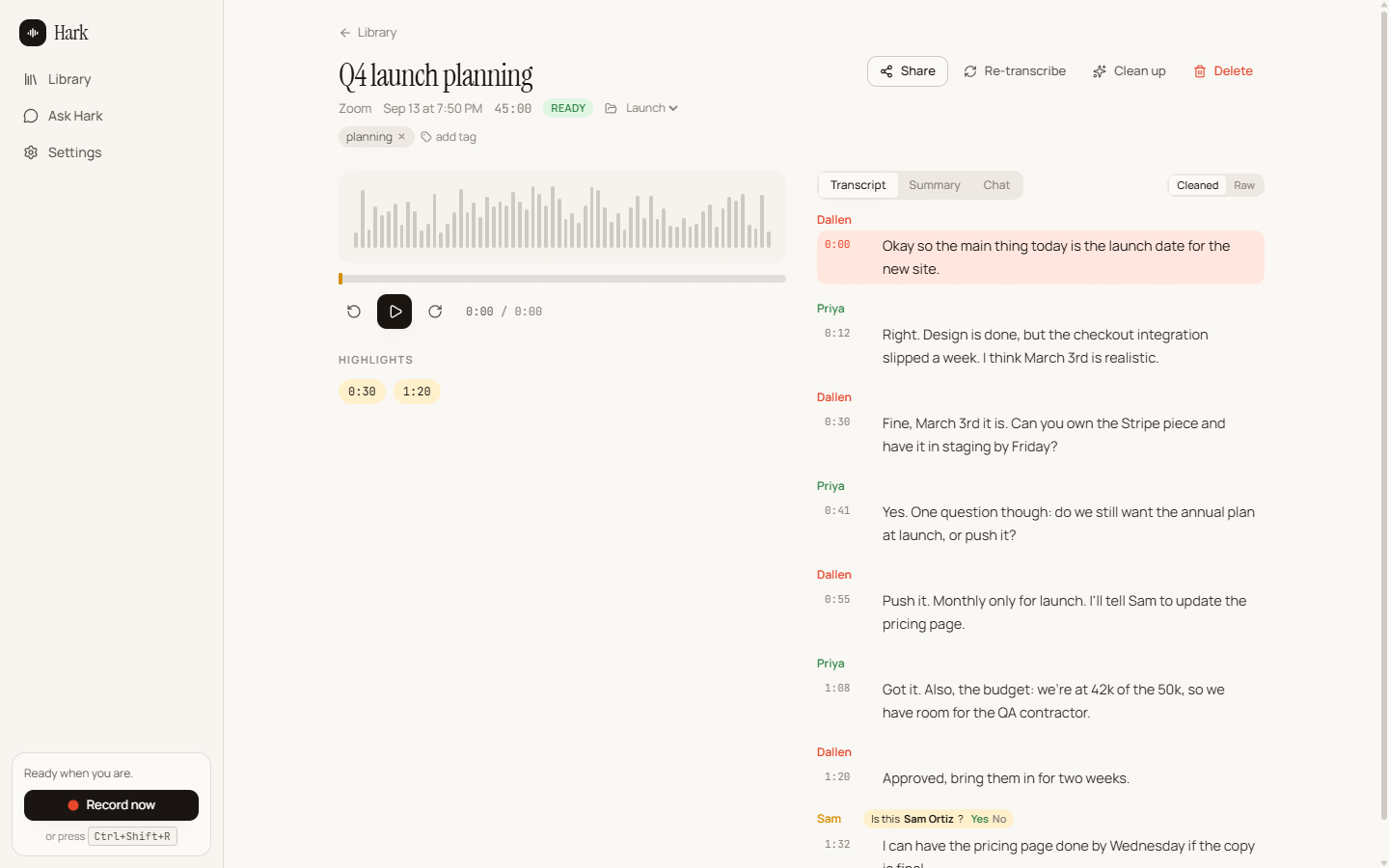
Open the recording during the call: captions land as people talk and running notes keep up with what's being decided.
Speaker names that stick
Hark tells voices apart, spots which one is you, and after you name someone once it recognises them next time and asks you to confirm.
Fixes bad audio
A local language model repairs garbled words, broken English and filler from bad mics and worse Wi-Fi. The raw transcript is always one click away.
Summaries from your templates
Sales call, discovery, 1:1, standup, interview, or write your own. Regenerate any meeting with any template.
Ask Hark
"What did we decide about pricing?" across one meeting or your whole library, answered with timestamps you can click to hear the moment.
Yours to move
Folders, tags, search, clips, .txt/.srt/.md export, a drafted follow-up email, share links on your network, and .hark bundles you can import on another computer. Import old recordings too.
How it works
Three things happen, all on your machine.
1. Record
Your microphone and the meeting app's audio are captured as separate tracks, plus optional screen video, written to disk continuously and finished automatically if anything crashes.
2. Transcribe
whisper.cpp turns speech into text with live captions during the call and a high-quality pass after. pyannote and TitaNet identify who spoke, across all your cores, in parallel with the transcript.
3. Understand
llama.cpp runs Qwen3 (1.7B to 8B depending on your hardware) for cleanup, summaries and chat. Or point Hark at Ollama or LM Studio.
Compare
Hark vs the meeting bots
| Hark | Fathom | Otter | Fireflies | |
|---|---|---|---|---|
| Price | Free, open source | Free tier + paid | Free tier + paid | Free tier + paid |
| Recordings stay on your device | Yes | Cloud | Cloud | Cloud |
| Bot joins the meeting | Never | Yes | Yes | Yes |
| Works offline | Yes | No | No | No |
| Speaker identification and memory | Yes, on-device | Yes | Yes | Yes |
| AI summaries and chat | Yes, on-device | Yes | Yes | Yes |
| Screen recording | Optional | Yes | No | No |
| Account required | No | Yes | Yes | Yes |
Competitor details as of September 2026; see their sites for current plans. Full comparison.
Questions
FAQ
Is Hark really free?
Yes. Hark is open source under the MIT license. There are no plans, seats, or limits.
Does it upload my meetings anywhere?
No. Recording, transcription, speaker identification, summaries and chat all run on your computer. The only downloads are the AI models themselves.
Does a bot join my calls?
No. Hark records what your computer already hears and shows, so there is nothing for other participants to see in the meeting.
Which meeting apps work?
Zoom, Microsoft Teams, Google Meet, Webex, Discord, Slack huddles, FaceTime and GoToMeeting are detected by name. Anything else is caught by audio activity, and you can always start recording manually.
What hardware do I need?
Any 64-bit Windows 10/11 or macOS 13+ machine with 8 GB of RAM. A GPU (NVIDIA, or Apple Silicon) makes transcription and summaries much faster.
Your meetings. Your computer. Your call.
Install in a minute. Delete in a second. Nothing left behind anywhere else.
Download Hark 0.4.0